

Is Instagram Down? What to Do When Instagram Isn’t Working
Introduction: Why asking “is Instagram down” matters
When Instagram becomes unavailable, millions of users, creators and businesses can be affected almost instantly. Asking “is Instagram down” is a common first step for anyone facing feed errors, failed uploads or login problems. Understanding how to confirm an outage and what to do next helps reduce downtime, protect scheduled marketing and avoid unnecessary troubleshooting.
Main body
How to tell if Instagram is down
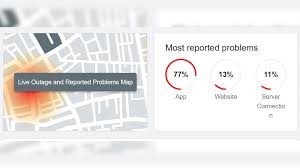
Before assuming the problem is global, check a few basic indicators. Look for reports from other users on platforms such as X (formerly Twitter) or outage-tracking sites like Downdetector. Instagram’s official communications channels or Meta’s system status pages may publish verified updates. If many independent users report similar issues from different locations, a wider outage is more likely.
Common causes of outages
Instagram interruptions can stem from server-side problems, scheduled maintenance, software bugs in app updates, DNS or routing faults, and issues with third-party integrations. Local factors — such as weak Wi‑Fi, mobile data limitations or device-specific app glitches — can mimic larger outages. Distinguishing local issues from platform-wide failures prevents wasted time on the wrong fixes.
Practical steps to take
- Check real-time outage trackers and social channels for confirmation.
- Try the web version at instagram.com to see if the service loads differently.
- Switch networks (Wi‑Fi to mobile data), restart your device and update or reinstall the app.
- Clear app cache on Android or reinstall on iOS if problems persist.
- For businesses, communicate with followers via other platforms and pause scheduled content until services are restored.
Conclusion: What readers should expect
Outages are intermittent but inevitable for large online services. If you find yourself asking “is Instagram down”, use verified trackers and official channels to confirm the situation, follow basic troubleshooting steps for local issues and have contingency plans for business-critical posting. Maintaining backups of content and diversifying communication channels reduces the impact of future interruptions and helps you respond quickly when Instagram is unavailable.